Royale Fortune ID Verification: What Documents You Need and How to Submit Them
Why Royale Fortune Asks for ID Verification
Royale Fortune requires all players to verify their identity before they can withdraw funds from their account. This process confirms you are at least 21 years old and helps prevent fraud, money laundering, and underage gambling.
You can register and make your first deposit without uploading ID right away, but you will need to complete verification before processing any withdrawal—whether to GCash, Maya, or bank transfer. Many players submit their documents shortly after their first deposit to avoid delays later.
The platform reviews each document manually, so providing clear, readable photos the first time speeds up approval.
Accepted Philippine IDs
Royale Fortune accepts government-issued identification documents that show your full name, date of birth, and photograph. The most commonly used IDs include:
- Philippine passport – Both current and recently expired passports are usually accepted if the photo page is clear.
- Driver's license – Make sure the card is not cracked or faded; LTO plastic cards work best.
- UMID (Unified Multi-Purpose ID) – Front and back may be required.
- Postal ID – Issued by PHLPost with your photo and address.
- PhilHealth ID – The national health insurance card with your photo.
- SSS ID or GSIS ID – Social Security System or Government Service Insurance System cards.
- Professional Regulation Commission (PRC) ID – For licensed professionals.
- Voter's ID – Issued by COMELEC.
- National ID (PhilSys) – The new national identification card is accepted if you have received yours.
Not typically accepted: Barangay certificates, company IDs, school IDs, or any document without a photograph and birthdate.
If your ID does not show your current address, Royale Fortune may ask for a second document such as a recent utility bill or bank statement. Check the verification page in your account dashboard for the exact list at the time of submission.
How to Take a Clear Photo of Your ID on Your Phone
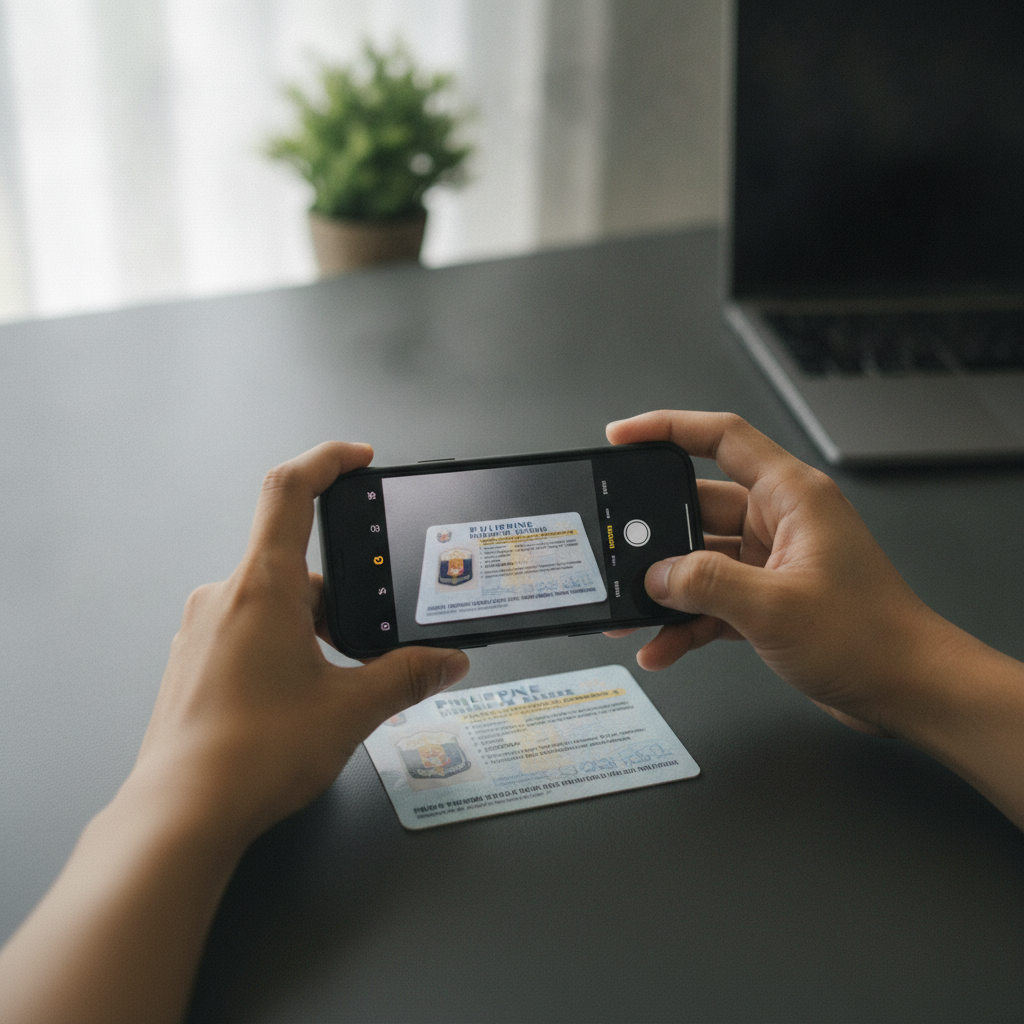
Most verification delays happen because the photo is blurry, cropped, or glare from overhead lights makes text unreadable. Follow these tips to capture a clean image the first time:
- Use good lighting. Take the photo during the day near a window, or under bright indoor light. Avoid direct sunlight on the ID surface, which creates glare.
- Place your ID on a dark, plain background. A table with a dark placemat or a piece of black paper helps the ID stand out and keeps the camera focused.
- Hold your phone steady, directly above the ID. Keep the phone parallel to the document. If your hand shakes, lean your elbow on the table or ask someone to help.
- Fill the frame with the ID. The entire card should be visible, with a small margin of background. Do not crop into the edges of the card.
- Check focus and sharpness before saving. Zoom in on the preview to confirm that all text—especially your name, birthdate, and ID number—is sharp and readable.
- Save as a high-quality image. Most Android phones save photos as JPG by default at high resolution; this is fine. Avoid using filters, black-and-white mode, or heavy compression apps.
If your ID has information on both sides (such as UMID or driver's license), take a separate photo of the back side following the same steps.
Step-by-Step Submission Through Your Account Dashboard
Once your photos are ready, log in to your Royale Fortune account on your phone or computer and follow these steps:
1. Open the account or profile menu
After you complete Royale Fortune login, tap the menu icon (usually three lines or your username) in the top corner. Look for a section labeled Account, Profile, Verification, or KYC (Know Your Customer).
2. Navigate to the ID verification or document upload section
Some accounts show a notification or banner prompting you to verify. If not, go to Settings or My Account, then tap Verify Identity or Upload Documents.
3. Select the type of ID you are submitting
You may see a dropdown menu asking which document you will upload—passport, driver's license, UMID, and so on. Choose the one that matches your photo.
4. Upload your photo(s)
Tap Choose File or Upload Photo. Your phone's gallery will open. Select the image you prepared. If the ID is two-sided, the platform may ask for a second upload labeled "Back of ID."
Some systems let you take a photo directly through the browser or app using your camera; either method works as long as the result is clear.
5. Review and submit
Before tapping Submit, double-check:
- Your full name on the ID matches the name you used during Royale Fortune register.
- The ID expiry date is visible (if applicable) and the document is not expired.
- All four corners of the card are in the frame.
Then tap Submit or Send for Review. You should see a confirmation message or email stating that your documents are under review.
How Long Verification Usually Takes and What Happens Next
Royale Fortune typically reviews ID submissions within 24 to 72 hours on business days. Weekends and Philippine public holidays may add a day or two.
If your documents are approved:
- You will receive a confirmation email or SMS.
- Your account status will update to "Verified" or show a green checkmark in the profile section.
- You can now request withdrawals to GCash, Maya, or bank transfer through InstaPay or PESONet without restrictions.
If additional documents are needed:
- Royale Fortune support will email or message you through the platform, explaining what is missing or unclear—for example, "Please upload the back of your driver's license" or "Photo is too dark; please resubmit."
- Log back in, go to the verification section, and upload the requested file. The review clock restarts once you submit.
If your ID is rejected:
- Common reasons include mismatched names (your registered name does not match the ID), expired documents, or photos that are cropped, blurry, or show only part of the card.
- Correct the issue and resubmit. There is no penalty for resubmitting clearer photos.
You can continue to play slots, live dealer games, and place bets on PBA, NBA, or volleyball while your ID is under review. Verification only gates withdrawals, not deposits or gameplay.
If 72 hours pass with no update, check your email spam folder, then contact Royale Fortune customer support through live chat or the email address listed on their site.
21+ Verification and Responsible Gambling Reminder
Royale Fortune is for players aged 21 and over only. By submitting your ID, you confirm you meet the minimum age requirement. The platform will reject any document showing a birthdate that does not meet this threshold.
Gambling should remain a form of entertainment, not a way to make money or solve financial problems. Set a budget before you play, and never deposit more than you can afford to lose. If you feel you are spending too much time or money, consider using account limits, taking a break, or reaching out to a responsible gambling helpline.
For more on account setup, see our guide on how to complete Royale Fortune register and our walkthrough of making your first deposit. Once verified, you can explore the full range of slots, jackpot games, live dealer tables, sports betting on PBA and NBA, and bingo—all from your Android phone, with deposits as low as PHP 100 through GCash or Maya.